

Elave Guardian · the EA for MT5
Stop the habits that cost you money.
Your AI Coach finds the habit. Guardian enforces the rule on your MetaTrader, with your consent. It never trades for you.
No card. No subscription.
Already have an account? Log in to get the EA
One system: find it, enforce it, prove it
Anyone can set a daily loss limit. Elave finds the habit first.
Find · AI Coach
Names what loses you money, with the trade count behind it.
Enforce · Guardian
You choose: an alert while you trade, or a block on the entry. A rule first runs in shadow, counting what it would have stopped, and only blocks after you agree.
Understand · Insights
Your edge by session, setup and day, each with its sample size. Too few trades is shown as too few, never as a result.
Prove · Backtest
Import your TradingView Strategy Tester export and read the report.
What is costing you money
Demo data- Blocked
You size up after a loss
−$1,240 in 21 trades
- Alert
You enter in the 5 minutes after news
−$410 in 9 trades
- Shadow
Your fourth trade of the day
−$680 in 14 trades
Guardian, on your chart
Don’t size up after a loss. Rule from your AI Coach, approved by you.
Exits, stops and targets are never blocked. If Guardian is unsure, it pauses new entries and leaves your open trades alone.
How it works
Install one file
Create your Elave account, then Guardian → Get the EA. On Windows, the installer attaches it to a chart.
Connect your account
Enter the code from the panel. Pick a prop-firm preset or your own limits.
Get your first read
Trades sync on their own. With enough of them, the AI Coach shows what costs you money.
Download the Guardian previewPreview build — use a demo account first.
How it all comes alive on your chart
One file on MetaTrader 5.
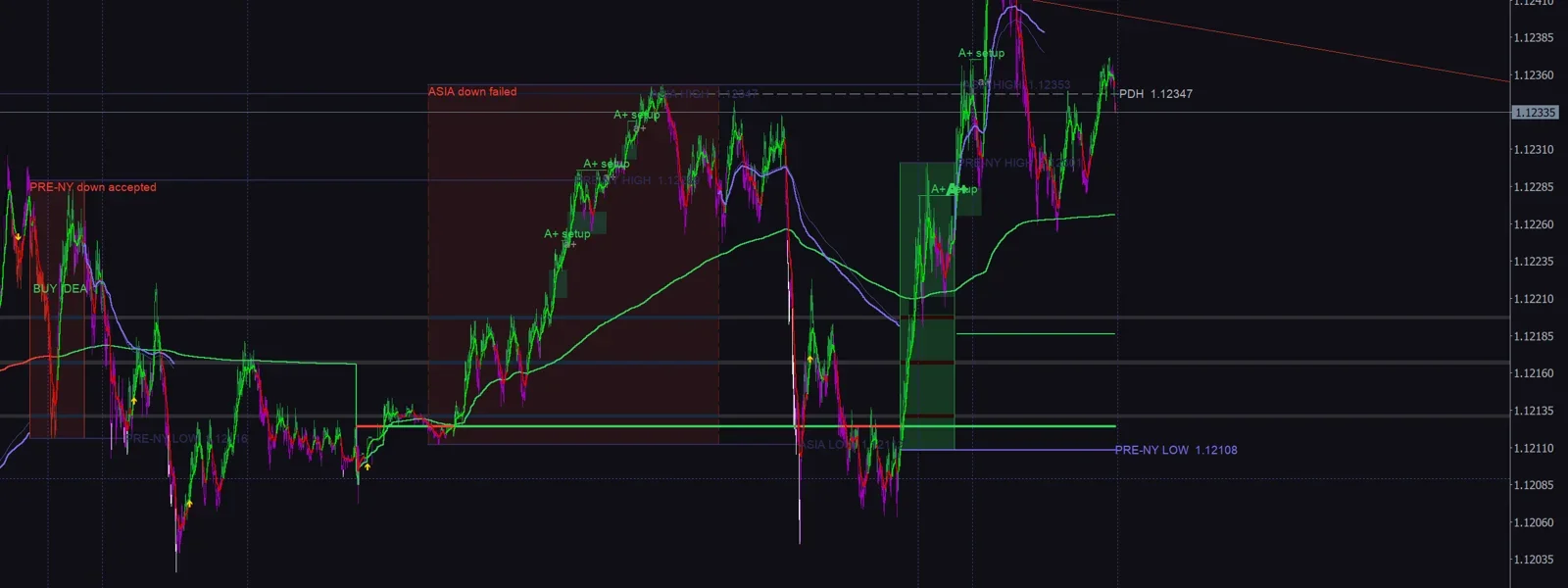
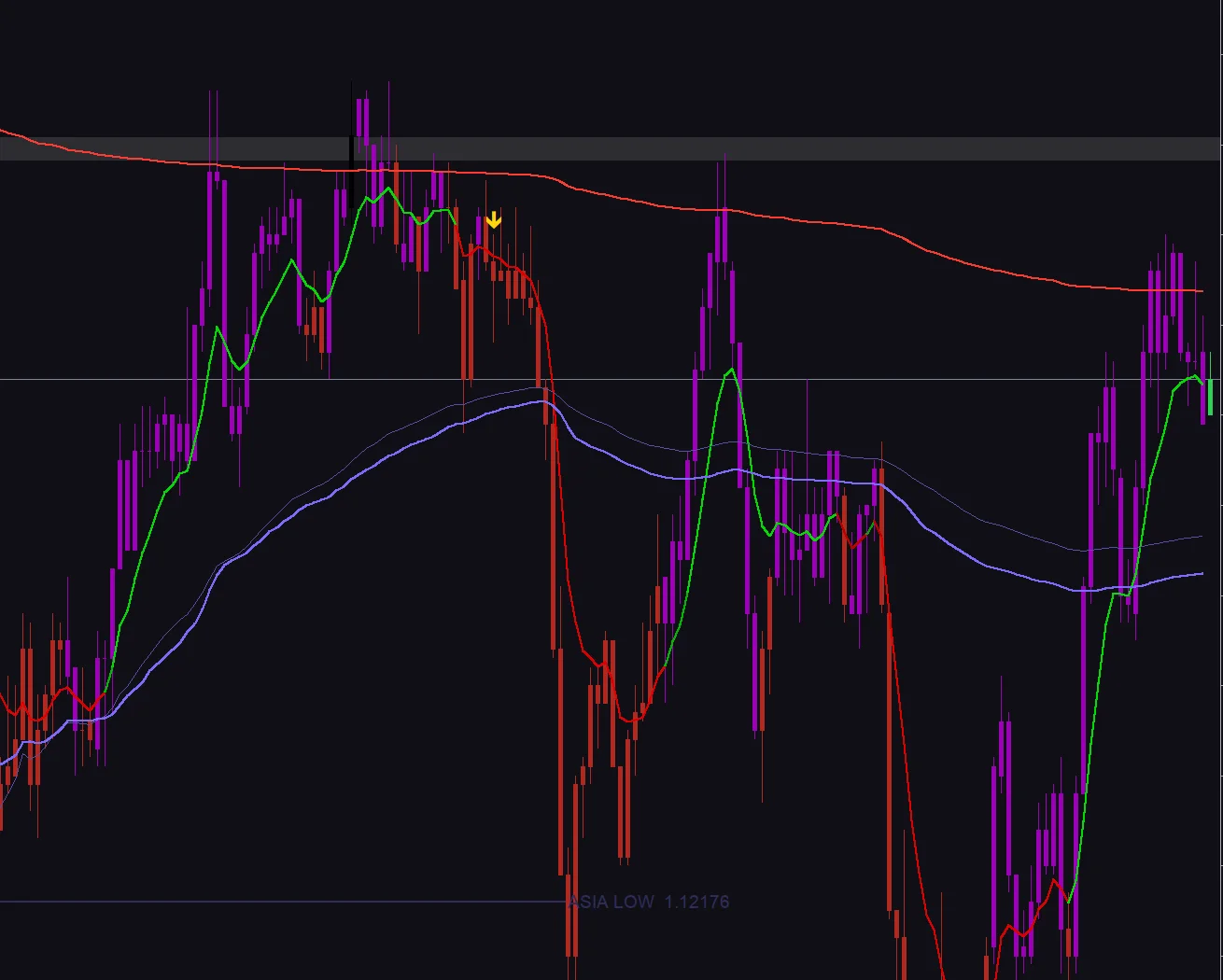
The ElaveFX indicator reads the chart with you
Bias candles colour each bar by direction, VWAP and session ranges frame the day, and A+ setups and golden triangles mark where the plan says to look.
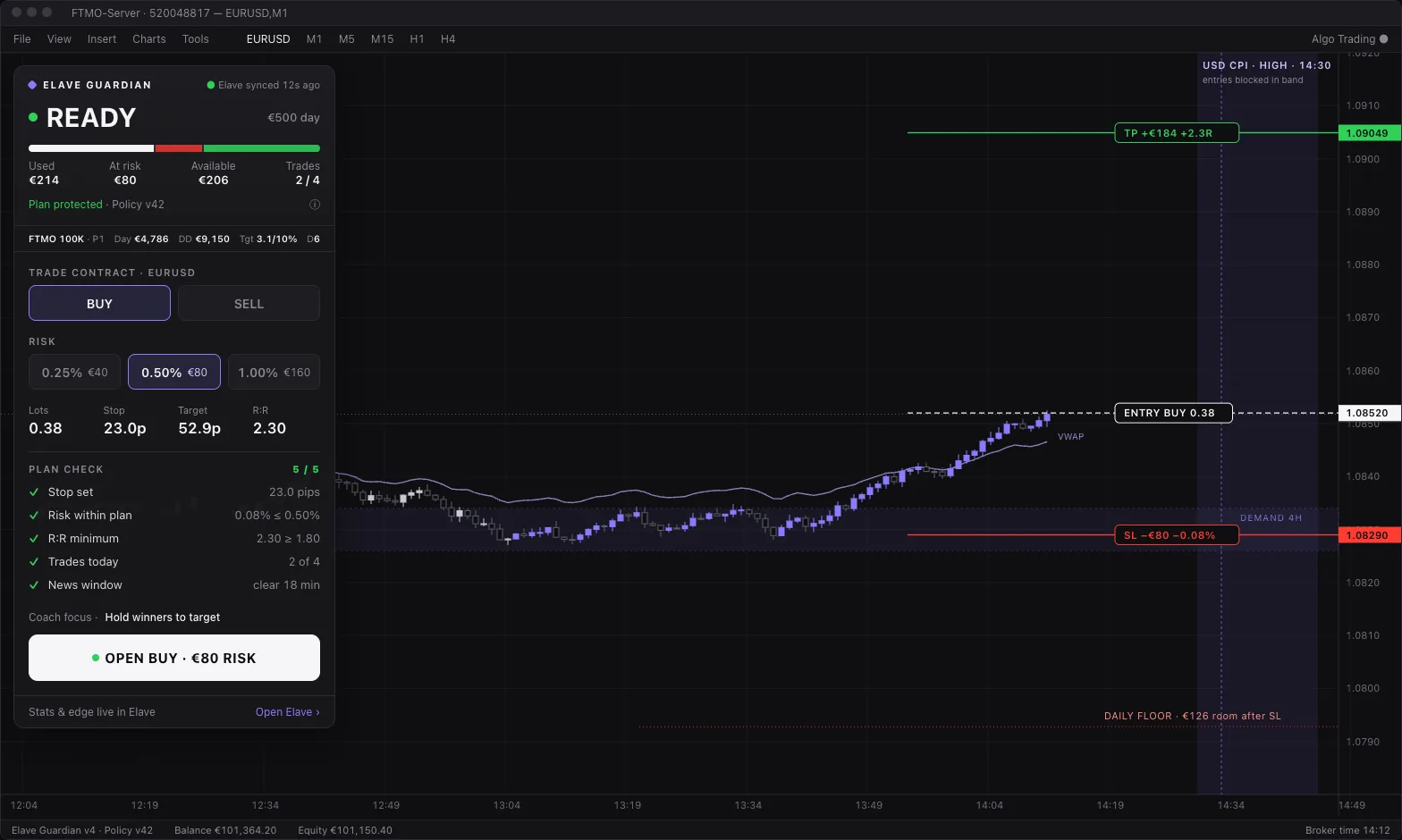
Guardian turns the idea into a ticket
Pick buy or sell and your risk in money. Drag the stop on the chart: the lots, target and R:R update, a five-point plan check runs, then one button sends it.
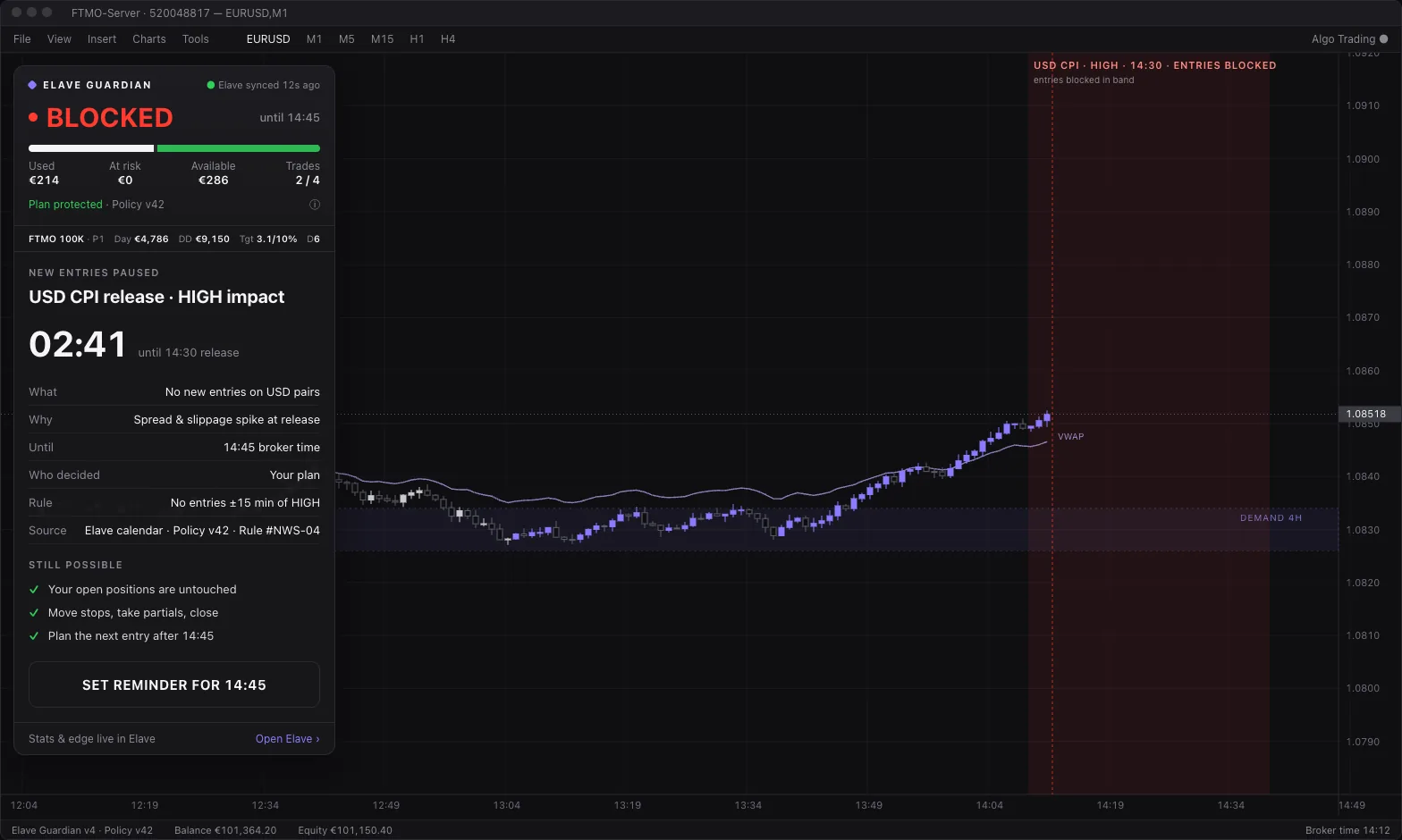
Your rules hold the line
Daily loss, max drawdown, trades per day and news windows. When a rule is hit, new entries pause with the reason and the time it ends. Your rules warn, and you can always override. At your prop firm's daily limit, Guardian closes open trades to protect the account.
Every trade comes back as one thing to fix
Each trade lands in your Elave journal on its own. The AI Coach reads the day and names one fix, and the note reaches you on Telegram and back on the panel.
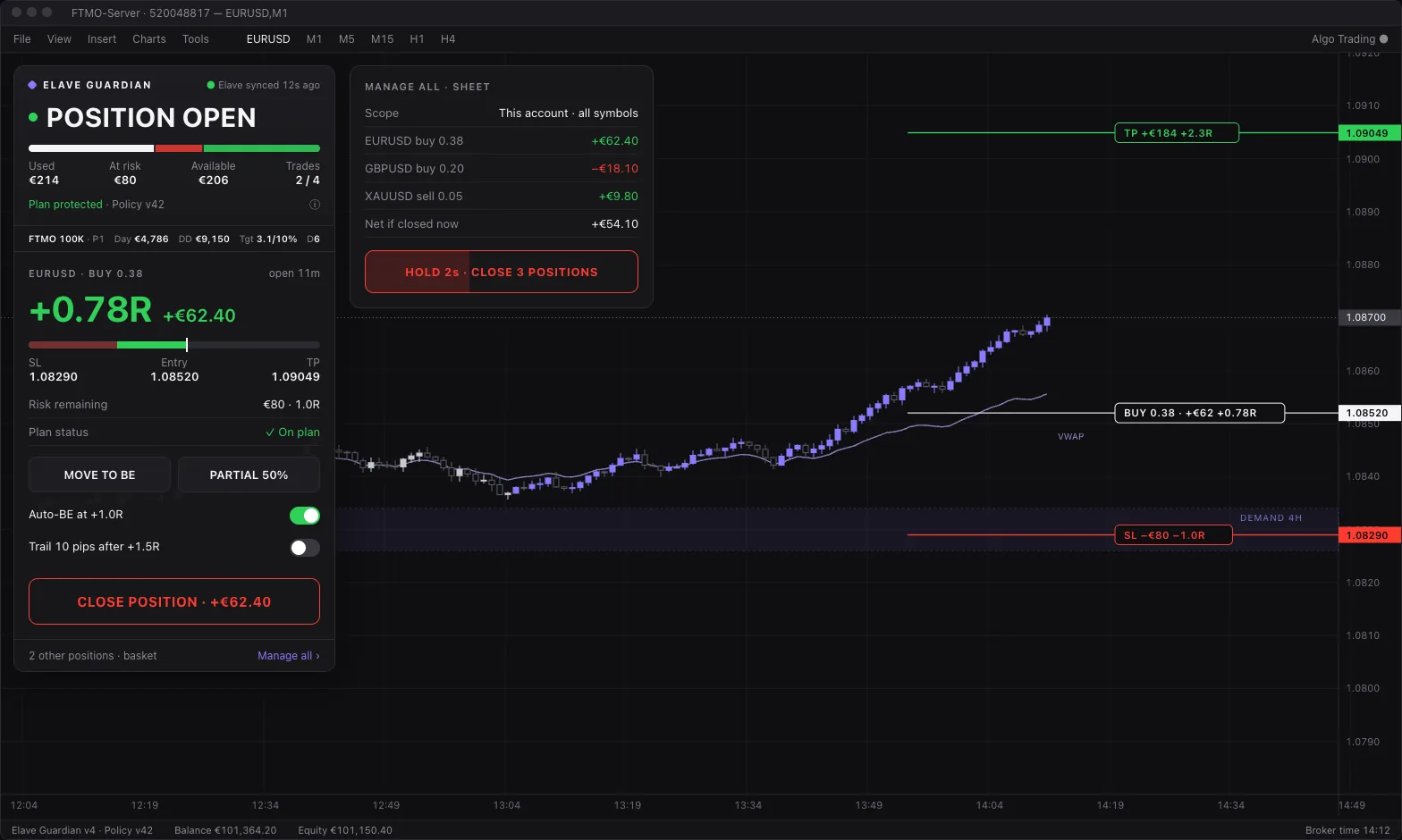
One panel, seven states
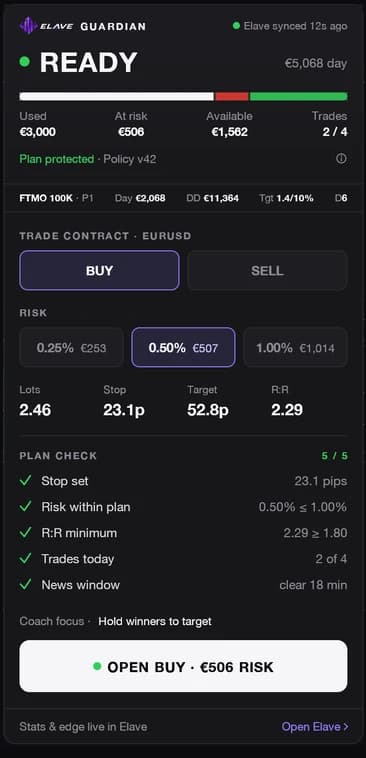
Ready
Side, risk, lots, plan check, one button.
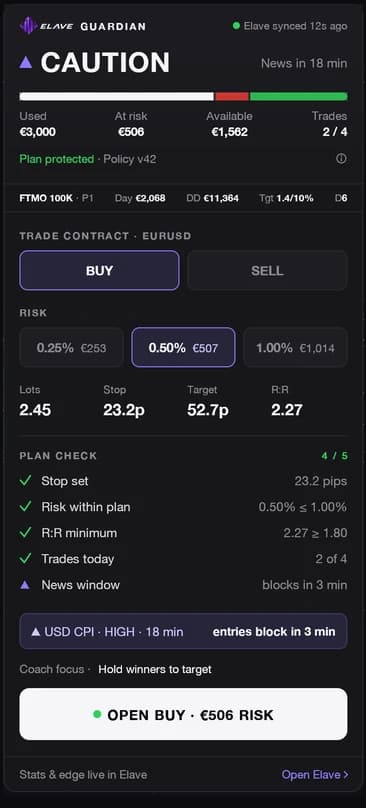
Caution
News close, or budget nearly used.
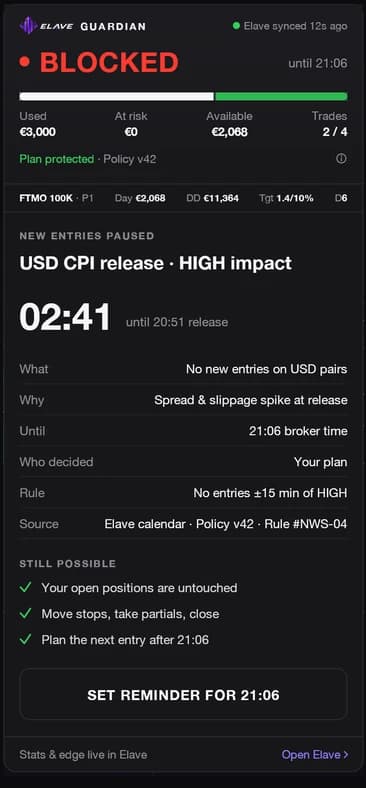
Blocked
A rule pauses entries: why, and until when.
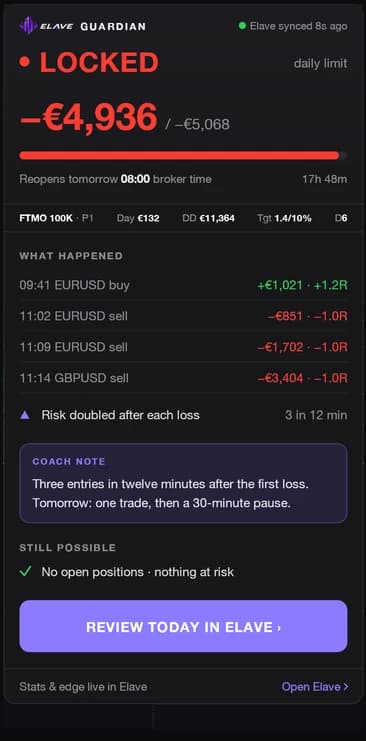
Locked
Daily loss or max drawdown hit.
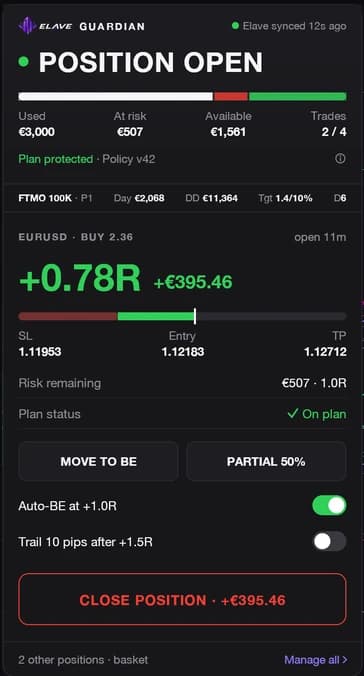
Position open
Manage R, break-even, partials, close.
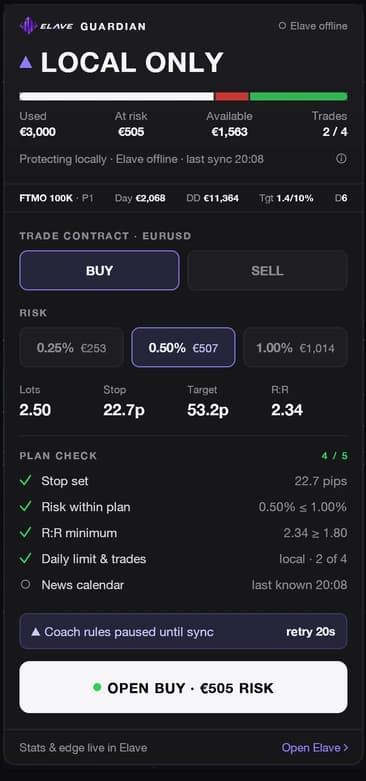
Local only
Offline. Local rules keep running.

Collapsed
One slim bar. More chart.
Guardian is included. The indicator comes with the Bootcamp.
Included with an Elave account
- Guardian panel and all seven states
- Risk in money, lots from your stop
- Daily loss and drawdown locks
- Journal sync to Elave
- Position manager: break-even, partials, basket
- Multi-chart: one chart leads, the others follow
Included with the Elave Bootcamp
$6,000 · by application
The full ElaveFX indicator, switched on inside the same EA file:
- Bias candles
- BUY/SELL ideas and golden triangles
- A+ setups
- Key zones
- Sessions and pre-open ranges
What it does not do
- It never opens a trade for you. Your rules only warn; it closes open trades only at your prop firm's daily limit.
- No signals sold, no copy trading.
- No promised returns. You can still lose money.
- No rule from the AI Coach is enforced without your yes.
Built for MetaTrader 5 first. On other platforms, a CSV export feeds your journal, Insights and AI Coach; live enforcement on the chart is MT5 only today.
Questions
Is it a bot?
No. It never opens a trade on its own. Every order is yours; Guardian checks it against your plan first.
Is there an MT5 risk manager EA for prop firms with no subscription?
Yes. Elave Guardian is included with an Elave account: no card, no subscription. It runs inside the Elave EA on MetaTrader 5 as a daily loss and drawdown guard. It checks each entry against your rules before it goes through, and takes firm limits from a prop-firm preset or your own.
Does it run on Mac and Windows?
It runs inside MetaTrader 5. Windows 10 and 11 run MT5 natively, and the installer is Windows-only. On Mac, MT5 runs through Wine or CrossOver and you add the EA file by hand. Netting accounts get fewer checks than hedging accounts.
How safe is it?
Guardian enforces the plan you set on the entries you place from MT5. It can’t see orders sent from your phone or web terminal, and it doesn’t make trading safe: you can still lose money. Alerts depend on your account syncing and can arrive late or not at all. Your firm’s dashboard is the official record. Always check it before you trade.
What happens to my data?
Without an account, sizing and Guardian run on your chart only. Once you connect, your trades sync to your private Elave journal. You can disconnect at any time; past trades stay in your journal.
What is included, and what comes with the Bootcamp?
Included with an Elave account: sizing, Guardian, journal sync and Ask Elave. The Elave indicator on your chart is included with the Elave Bootcamp, by application.
Can it close my trades?
Your own rules never close a trade: they warn, and you can always override. At your prop firm's daily limit, Guardian closes open trades to protect the account. Moving a stop, taking a partial or closing stays possible during every lock.
Can I lock MT5 trading for the day?
Yes. Stop for today ends your trading day in one tap, from the Elave web app or from Telegram. Guardian then tightens your rules until your firm’s next daily reset, when your normal rules come back. Use it the moment you reach your own daily stop.
Does the drawdown lock survive an MT5 restart?
Yes. Once the maximum-drawdown lock triggers, restarting MetaTrader 5 or the EA does not clear it; only a token issued by the Elave desk does. That closes the most common loophole on a bad day: shutting the platform and reopening it to keep trading.
Can slippage still push me past my daily loss limit?
Yes, with any EA. A position closed at a limit closes at market, so a gap, a news spike or thin liquidity can fill beyond the line. Set your own daily stop inside the firm’s limit, size from the room left, and avoid holding full size into high-impact news.
Does the EA calculate lot size from my stop loss?
Yes. The panel shows your risk in money, works out the lots from your stop distance and checks the trade against your plan before you send it. You still click to place the order: the EA sizes and checks, it never trades for you.
Does it move stops to break-even and take partials?
Yes. With a position open, the position manager moves the stop to break-even, takes partial closes and manages a basket, in the ways you set up. It never opens a trade on its own.
Does it work offline?
Yes. If Elave can’t be reached, the panel switches to Local only and keeps your local rules on the chart. Your journal catches up when the connection is back.
How many accounts and charts?
Use it on every MT5 account you link to your Elave account, and on as many charts as you like: one chart runs Guardian, the others follow it.
Find it. Enforce it. Prove it.
Create accountAlready have an account? Log in to get the EA
You can lose money trading, sometimes more than your deposit. Elave helps you follow your own rules. It doesn’t make trading safe.