
We use cookies to keep you signed in and, with your OK, to measure and improve Elave. Cookie policy

The Elave indicator loaded on a TradingView chart — structure, levels and bias in one clean read
Elave indicator · invite-only TradingView

Every indicator. One clean read.

Structure and bias, drawn on your own TradingView chart.

Platform

Full terminal access

Indicator

Invite-only TradingView

Access

Included with Elave Bootcamp coaching

Approval

Added by hand

Before / after.

The same chart, cleared to one read — pick an instrument.

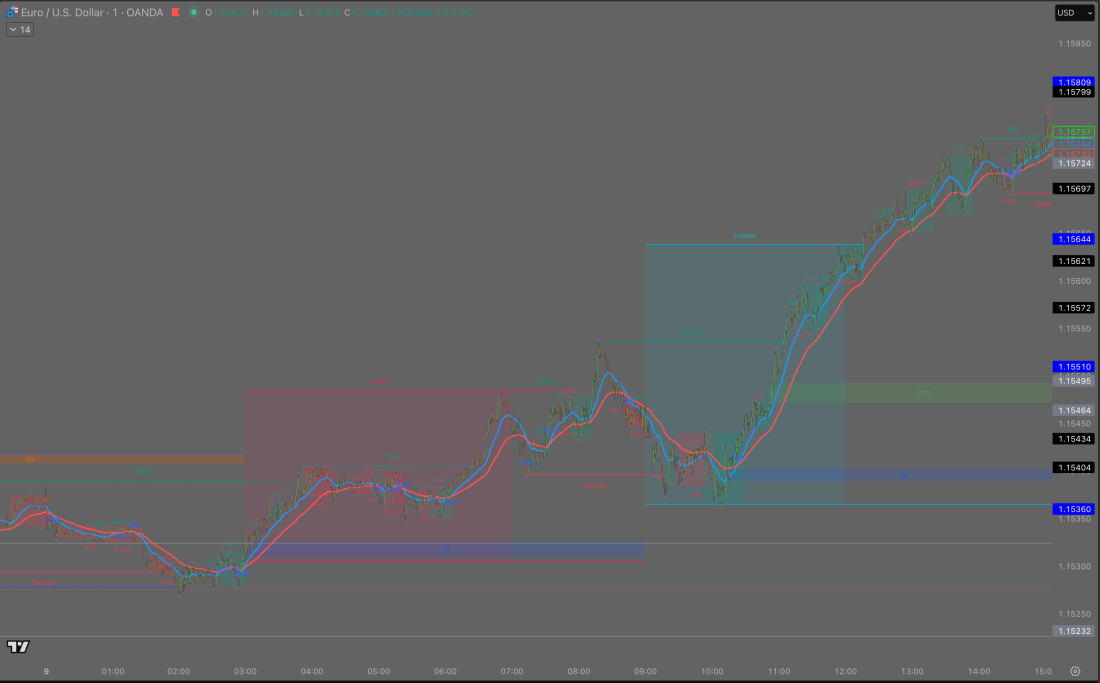
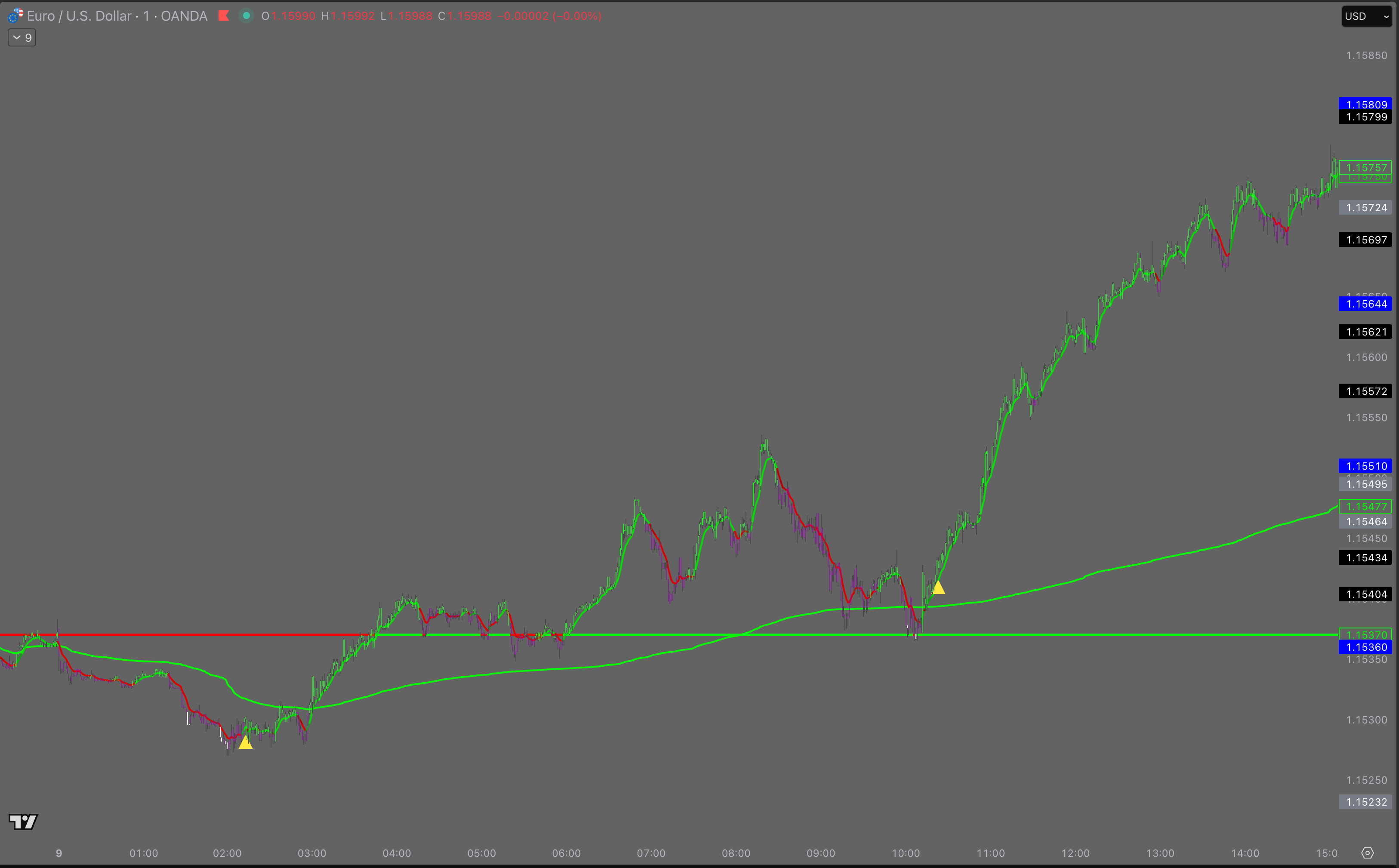
Every indicatorEUR / USD — the same chart buried under a full stack of indicators
Elave indicatorEUR / USD — the same view with only the Elave indicator: structure, levels and bias

The indicator marks levels from fixed rules. It hasn't been shown to make money, and many trades it marks will lose.

On the chart

What it actually draws.

Five objects on one chart — an entry, a direction, an exit, a filter and an anchor. Nothing else is added, and nothing is hidden behind a setting you have to find.

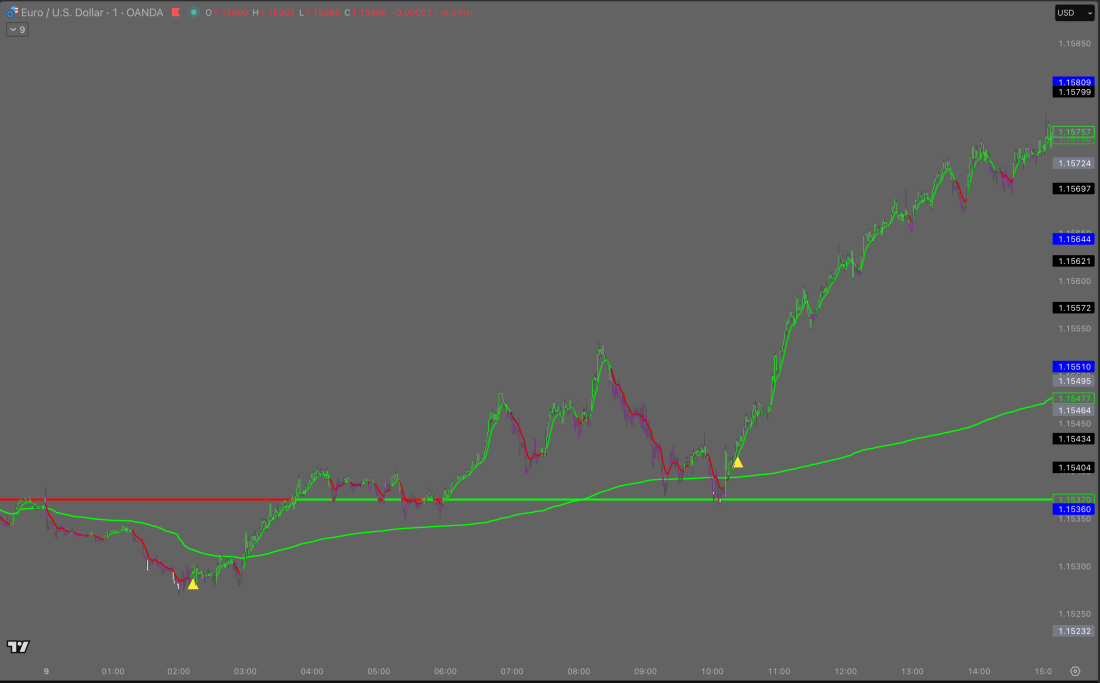
The Elave indicator drawn on a live EURUSD chart
01The entry

Golden Triangle

A triangle prints on the candle — and only when bias, structure and momentum all agree. No agreement, no triangle.

02The direction

Bias Flip

The chart stamps the day's side and re-stamps it the moment the regime turns, so you are never guessing which way you are allowed to look.

03The exit

EMA9 Trail

A live trailing line under a long (over a short) that follows the move up and gives you a mechanical place to be wrong.

04The filter

VWAP

One volume-weighted line for fair value: price above it, you look long; price below it, you look short.

05The anchor

Daily Open

The session's opening level, drawn across the day — the reference the bias, the targets and the invalidation are all measured from.

TradingView indicator · 5-component signal system

One chart. One clean read.

Five components colour every bar by setup quality and mark the exact bar where they agree — on your own TradingView chart.

  • Golden Triangle

    The entry — prints only on full agreement

  • Bias Flip

    The direction — stamps the day's side

  • EMA9 Trail

    The exit — trails winners, cuts losers

  • VWAP

    The filter — longs above, shorts below

  • Daily Open

    The anchor — bias, targets, invalidation

Works on TradingView's basic tier

The three-phase pipeline

01

Bias

Daily Open + Bias Flip set the day's direction.

02

Location

VWAP + Golden Triangle define where to act.

03

Management

EMA9 trails the winner and cuts the loser.

The five rules, on both kinds of day

Worked examples are illustrative chart-reading walkthroughs — not trade records, results, or performance claims.

Golden Triangle

Prints strong bars
3points in agreement

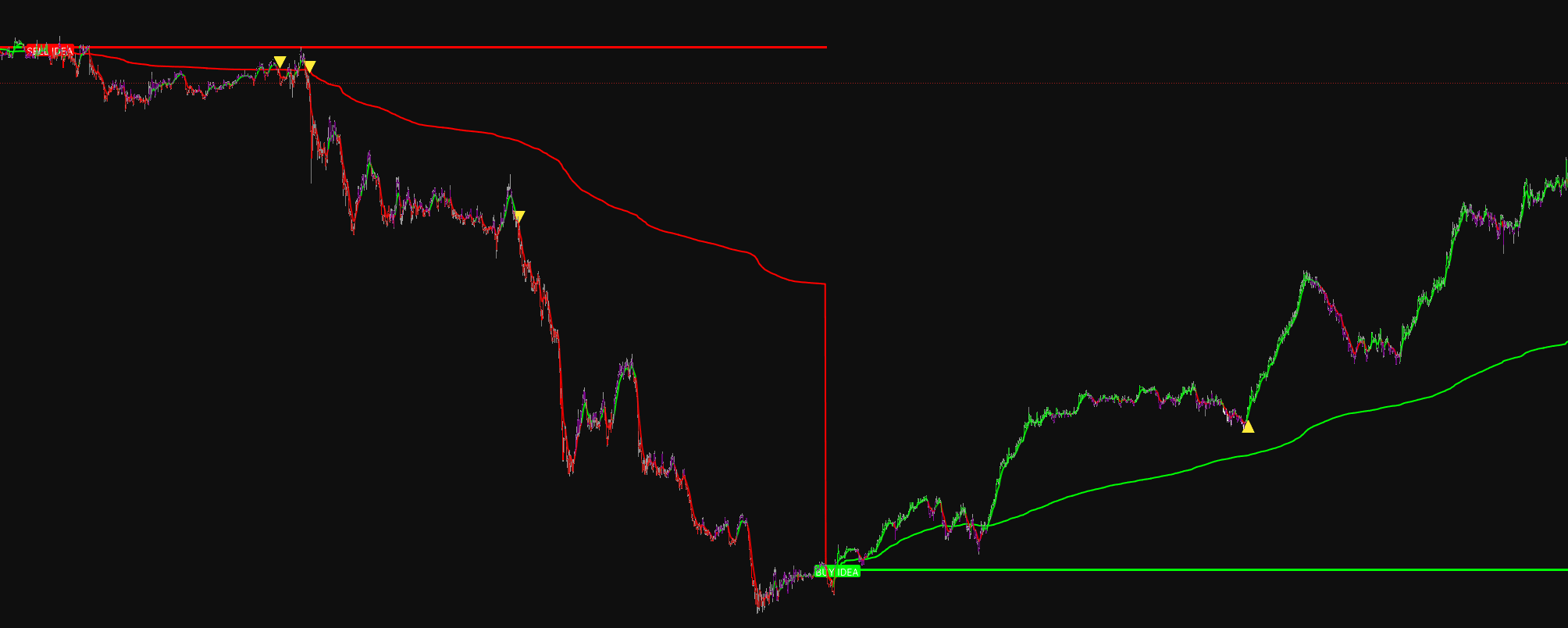
The confluence engine — a gold triangle prints on the bar only when bias, structure and momentum all align.
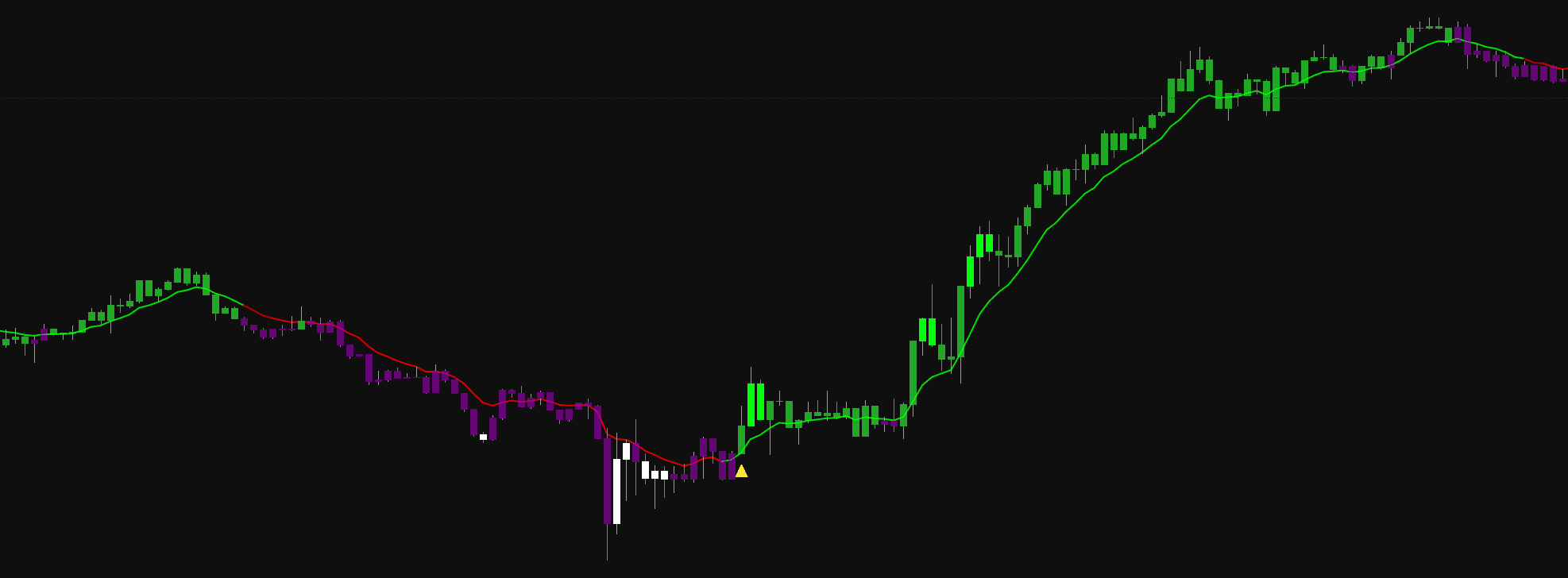
Elave indicator — a gold triangle marks the bar where bias, structure and momentum agree

Trend day · worked example

On a trend day the triangle fires early and the trend does the rest.

EUR/USD trends up from the open. Price pulls back into the 0.618 Golden Pocket, holds above VWAP, and the EMA9 slope stays positive — all three agree, the triangle prints at bar close. Entry 1.0850, stop 1.0830 under the zone — 20 pips of defined risk, and the trail owns the trade from here.
Bias Flip

Purple = conflict
1close flips the read

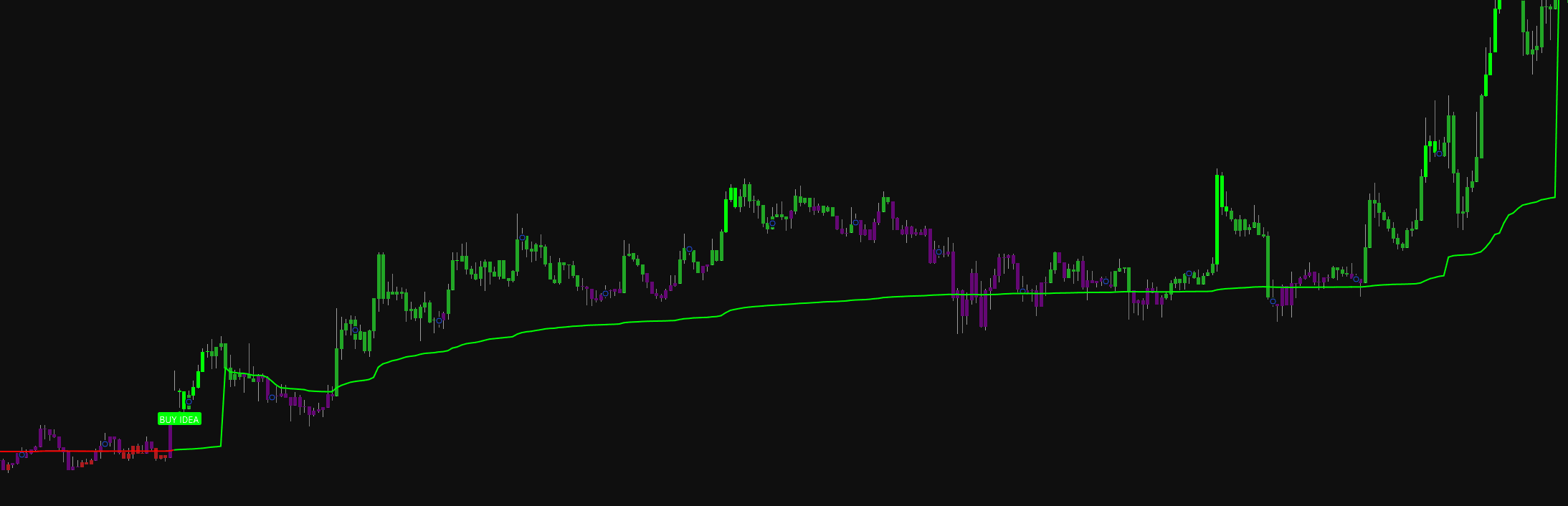
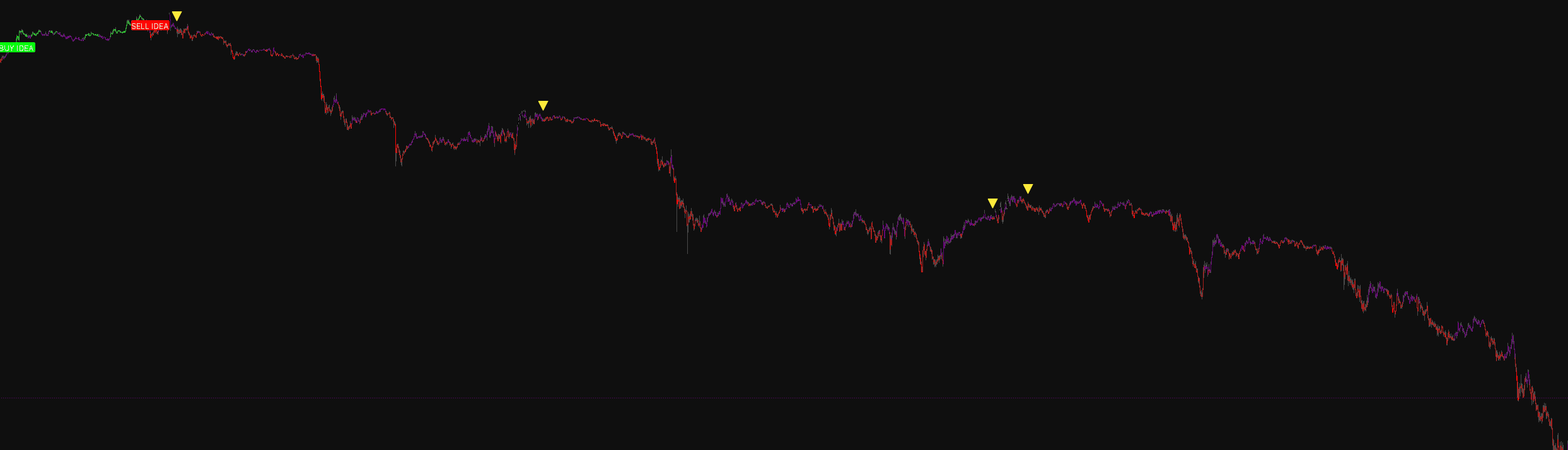
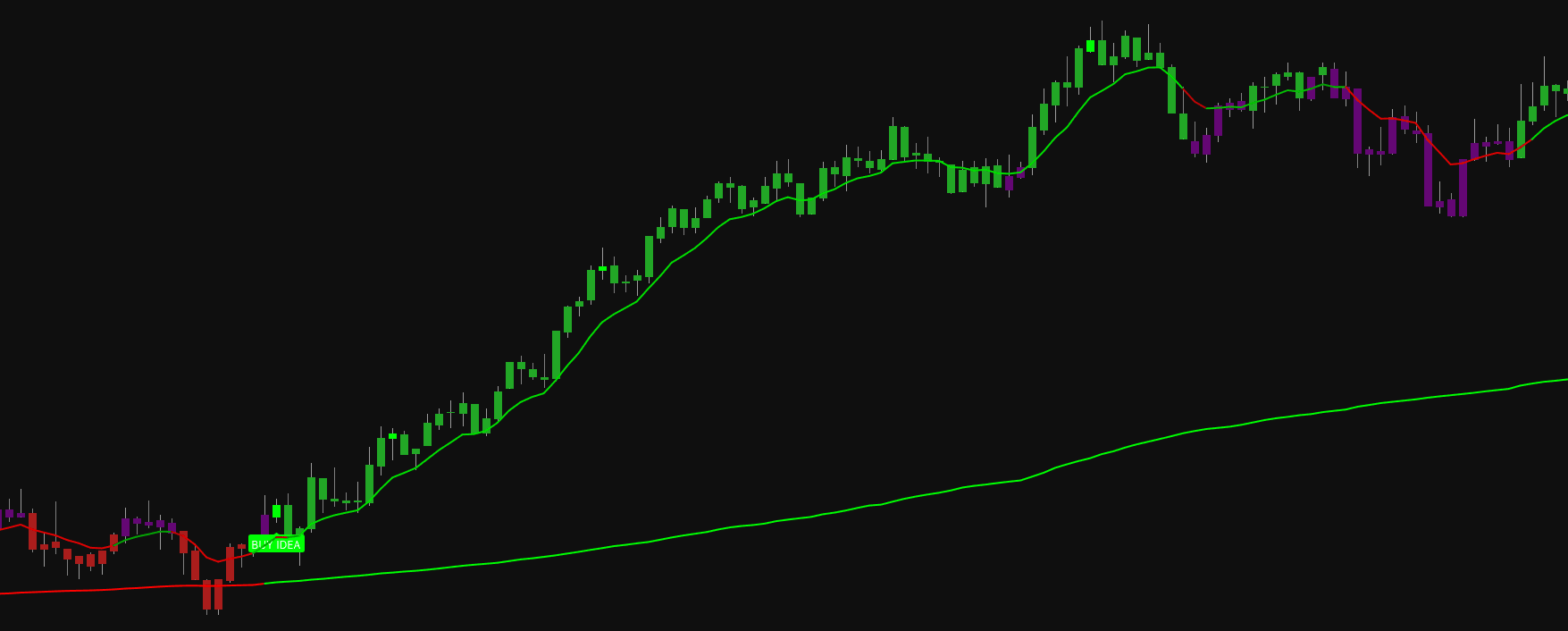
The trend-direction engine — it stamps BUY IDEA or SELL IDEA on the exact bar where the regime turns.

Elave indicator — BUY IDEA and SELL IDEA labels printed where the directional regime flips

Trend day · worked example

One flip early, held all day — every later signal inherits its direction.

A decisive close flips the read long in the first hour and no counter-flip follows. From that bar on, the system only looks for longs — one directional decision instead of forty.

EMA9 Trail

Light bars = partial
9period EMA · α = 0.2

The management layer — winners trail along the 9-period EMA and exit on the first decisive body close through it.

Elave indicator — the EMA9 trail colours green while rising and red while falling, carrying the winner

Trend day · worked example

The trail's whole job is refusing to let you cut the winner early.

Long from 1.0850. Price rides the rising EMA9 through three pushes; two wicks touch the line and neither counts. The first full body close below it ends the trade at 1.0910 — +3.0R on the original 20-pip risk.

VWAP

Direction filter
09:30resets at the session open

The volume-weighted fair-value line — longs above it, shorts below it, nothing against it.

Elave indicator — the session VWAP line acting as the institutional fair-value reference

Trend day · worked example

Price holding one side of VWAP is what a real trend looks like.

Price opens above VWAP and never accepts back below it. Every pullback to the line is a with-trend entry backed by the execution algos that defend their benchmark price — the indicator flags those setups with higher confidence.

Daily Open

Session anchor
1anchor level per session

The session's anchor line — it defines the day's bias, the targets, and the level where the idea is wrong.

Elave indicator on EUR/JPY M1 — session structure drawn around the daily open anchor

Trend day · worked example

Above the open and staying there — the anchor becomes the day's risk floor.

Price opens, reclaims the Daily Open and holds. Bias stays long while that line holds underneath — the anchor is the one level that tells you the whole day's idea is still valid.

The bar palette — seven colours, one meaning each

Every bar is re-coloured by setup quality, so the chart reads at a glance. Colour is the result of the conditions above — never the cause.

  • Strong green. Full-confluence long — above VWAP, above a rising EMA9, in the zone, bias aligned.

  • Light green. Partial confluence (2–3 of 4 conditions). Viable, lower conviction.

  • Strong red. Full-confluence short — the inverse of strong green.

  • Light red. Partial-confluence short. Lower conviction.

  • Purple. Divergence / caution — price and conditions disagree. Reduce or wait.

  • White. Oversold — stretched down; the discount end of the cycle.

  • Black. Overbought — stretched up; the premium end of the cycle.

See it on your chart

Claim the indicator on your own TradingView — submit your TradingView username and a person at the desk approves it by hand. The steps are just below.

How you get it

Four steps. Included with the Elave Bootcamp.

Account

Create your account

Under a minute. The whole terminal opens.

Bootcamp

Apply for the Elave Bootcamp

The Elave indicator is included with the Elave Bootcamp.

Username

Send your TradingView username

The handle from your TradingView profile — not your email.

Added

A coach adds you

A coach adds the invite by hand. It's on your charts.

Already in the Bootcamp? Request the indicator with your TradingView username — a coach reviews every request by hand.

The offer · how access works

Choose your access.

One claim-your-access door, one application door — and no subscription anywhere.

Your desk

01

$0

no card, ever

No card. No subscription.

  • Journal, Guardian and an AI Coach read
  • No trial clock, no degraded preview
  • 0% of your P&L — every dollar stays yours

Elave Bootcamp

02

By application

request access · a thirty-minute call

Earned, not bought — cohorts are capped.

  • Desk coaches + a live class every Wednesday
  • Guided program with real exams
  • Fit review before numbers, always
Most popularBootcamp premiumYou’re here

Join the Bootcamp. Get the indicator.

The indicator is included with Elave Bootcamp coaching. Submit your TradingView username and a person at the desk adds you by hand.

  • The 5-component TradingView indicator
  • Approved by hand — added to your TradingView
  • Works on TradingView's basic tier
Get the indicator

No subscriptions — ever

0% of your P&L

No card for the platform

Your capital stays at your broker

Elave is funded by partner-broker introducing rebates — the broker pays Elave, you don’t. Trading carries risk, including loss of capital.

Elave may receive a referral fee if you open an account with a partner broker. Elave does not hold funds, execute trades, or give investment advice. Trading carries risk, including loss of capital.

Questions, answered plainly.

How do I get the indicator?+

The Elave indicator is included with the Elave Bootcamp. It isn't a subscription or sold per month.

Is it granted automatically?+

No. Bootcamp members request it with their TradingView username, and a coach adds every invite by hand.

Can I just buy the indicator?+

It comes with the Bootcamp. For anything else, write to support@elavefx.com.

Does Elave touch my money?+

Never. Elave does not hold funds or execute trades.

Which markets and timeframes does it cover?+

It runs on liquid markets, from index futures to gold and major FX pairs, M1 up to intraday. Test it on your own setup before trading live.

Do I need a paid TradingView plan?+

No — it's an invite-only script and TradingView's basic tier works.

How do signals confirm?+

On bar close. Bar colours and markers reflect the conditions that bar met — act on confirmed closes, not mid-bar paint.

The last step

Your desk. Today.

The whole terminal opens the moment you sign up. The TradingView indicator is claimed with your username, and a person at the desk approves it by hand.

Elave is a trading-analytics and education platform — not a broker, adviser, or custodian. Leveraged products carry a high risk of loss; you can lose more than your deposit. Past performance does not indicate future results. Broker terms, minimums, and protections depend on your jurisdiction.

Trading leveraged products carries a high risk of losing money rapidly. Past performance does not indicate future results. Not investment advice.

Privacy · Cookies ·

Apply for the Elave Bootcamp